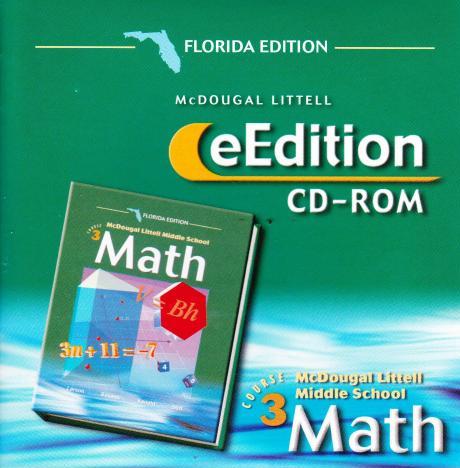
Holt California Mathematics: Teacher's One-Stop Planner: Course 2
Holt California Mathematics: Teacher's One-Stop Planner Course 2 PC MAC CD teach
Application
Windows/Mac
Holt, Rinehart and Winston
2008
CD
$81.49
Share:
HOLT CALIFORNIA MATHEMATICS: TEACHER'S ONE-STOP PLANNER — COURSE 2
This Teacher's One-Stop Planner is a comprehensive companion for the California Mathematics Course 2 series published by Holt, Rinehart and Winston. It is designed to streamline daily planning, support differentiated instruction, and provide printable and digital tools that align with California state standards. Below is an expanded description of the planner’s content, features, suggested uses, and practical implementation tips for busy middle-school mathematics teachers.
Expanded Overview
The Teacher's One-Stop Planner organizes curriculum materials, pacing guides, assessment calendars, and formative resources in a single flexible toolkit. It supports long-range planning and day-to-day instruction while providing templates that can be easily customized to meet classroom and district needs.
Detailed Key Features and How They Help
Easy-to-use Holt Calendar Planner: A pre-formatted, editable calendar that allows teachers to map units, state testing windows, school holidays, and professional development days. Includes space for daily objectives, homework assignments, and cross-curricular notes.
Holt PuzzlePro: A bank of standards-aligned puzzles and brainteasers (e.g., number puzzles, logic grids, algebra matching) that reinforce key skills and provide fast warm-ups or early-finisher activities.
Interactive Teacher's Edition: Digital annotations, step-by-step lesson walkthroughs, embedded teacher notes, and suggested questioning strategies. Interactive pages often include classroom modeling animations and links to manipulatives or virtual labs.
Printable Teaching Resources: Ready-to-print worksheets, exit tickets, quizzes, unit tests, manipulatives templates, graphic organizers, and student practice sheets keyed to each lesson.
Customizable Lesson Plans: Editable templates covering objective, standards alignment, materials, differentiation strategies, formative assessments, and reflection prompts for reteach or enrichment.
Standards Alignment and Pacing
The planner includes a recommended pacing guide tied to the California Common Core State Standards for Course 2. Each unit includes:
Standards checklist with correlating lesson numbers
Suggested time allocation per lesson and for cumulative review
Benchmark assessment windows and data-capture forms
Instructional Planning Tools
Inside the planner you’ll find multiple practical templates and examples to expedite planning:
Daily lesson template: Objective, “I can” statement, materials, sequence of instruction (hook, teach, guided practice, independent practice, exit ticket), formative check, and reflection.
Weekly overview: Unit goals, vocabulary focus, cross-curricular links, homework schedule, and differentiation notes.
Unit plan: Pre/post assessments, essential questions, big ideas, resources list, and culminating performance task.
Assessment & Data Tracking
The planner supports formative and summative assessment with easy-to-use tracking tools:
Printable formative assessment templates (exit tickets, quick checks, observation rubrics)
Summative test forms and answer keys with suggested item analysis protocols
Student data trackers for standards mastery — color-coded and printable for conferences
Guidance for analyzing assessment data to plan reteach groups and enrichment
Differentiation Strategies
The planner includes explicit strategies and activity choices to meet diverse learners’ needs:
Tiered lesson modifications (remediation, on-level, challenge)
Scaffolded problem sets and step-by-step worked examples
Small-group rotation models and suggested grouping protocols
Supports for English learners: vocabulary previews, sentence frames, visual models
Supports for students with IEPs: simplified directions, extended time suggestions, alternate assessments
Classroom Routines and Management
Suggestions and templates for establishing routines that support math instruction:
Daily warm-up structure using Holt PuzzlePro items
Transition routines for centers and rotations
Behavior expectations linked to math work habits (persistence, precision, collaboration)
Time-saving systems for collecting, grading, and returning student work
Integration with Technology
The planner provides ideas for blending print and digital instruction:
Use the Interactive Teacher’s Edition on interactive whiteboards for whole-class modeling and think-alouds
Embed links or QR codes to virtual manipulatives, instructional videos, or formative quizzes
Sample workflows for Google Classroom, Canvas, or other LMS: posting lesson plans, assigning formative checks, and collecting student responses
Using student devices for adaptive practice and real-time progress monitoring
Printable Resource Types (Examples)
Lesson practice worksheets and unit review packets
Standards-aligned quizzes, mid-unit checks, and chapter tests
Graphic organizers (concept maps, problem-solving frames)
Manipulative templates: fraction strips, coordinate grids, algebra tiles
Parent communication letters and math homework explanations
Sample Weekly Implementation (Template)
Below is an example of how a teacher might structure one week using the planner:
Monday: Introduce lesson objective; warm-up with a PuzzlePro problem; direct instruction and guided practice; exit ticket for formative check.
Tuesday: Spiral review; small-group rotations with leveled tasks; technology station for interactive practice.
Wednesday: Deep dive into multi-step problems; formative quiz mid-week; data review to adjust groups.
Thursday: Application task or performance problem; partners present solution strategies; extend with challenge problems for advanced learners.
Friday: Unit checkpoint or quick formative assessment; reflection and reteach planning; homework review.
Customizing Lesson Plans — Practical Tips
Begin by aligning your unit goals to local district pacing and testing dates.
Use the editable templates to add specific materials (manipulatives, technology links) and to note students who need accommodations.
Schedule regular short formative checks; three-minute exit tickets taken weekly give fast, actionable data.
Save common templates in your LMS for quick reuse and distribution to substitute teachers.
Professional Development and Teacher Collaboration
The planner includes suggestions to foster collaborative planning time and teacher growth:
Meeting agendas for vertical articulation (Course 1 through Course 3) to ensure continuity
PLC protocols for data analysis and instructional coaching
Observation templates and feedback prompts tied to mathematical practice standards
Accessibility and Equity Considerations
Designed to support all learners, the planner offers:
Accessible document formats and printable large-print pages
Multi-modal lesson suggestions (visual, kinesthetic, auditory)
Culturally responsive problem contexts and examples to engage diverse student backgrounds
Sample Lesson Outline (Filled-In Example)
Objective: Understand and apply solving two-step linear equations.
Materials: Student editions, algebra tiles (physical or virtual), whiteboard, exit ticket (3 problems).
Sequence:
Hook (5 min): Holt PuzzlePro quick logic puzzle to engage algebraic thinking
Teach (15 min): Model two-step solving with think-aloud and algebra tile demonstration
Guided Practice (15 min): Work a set of problems with partners, circulate for formative checks
Independent Practice (10 min): Students complete a practice sheet; choose “check your work” peer review
Exit Ticket (5 min): One quick problem and one reflection question: “What step did you struggle with?”
Assessment Use: Score the exit ticket immediately; group students for reteach based on error patterns (e.g., distribution vs. inverse operations).
Implementation Roadmap for a New Teacher
Familiarize yourself with the Course 2 scope and sequence and how the planner maps to it.
Customize one unit plan, add classroom-specific materials, and pilot it for two weeks.
Collect formative data and refine grouping and pacing using the planner’s data tools.
Integrate one tech station or PuzzlePro warm-up into your daily routine and expand from there.
Final Notes
The Teacher’s One-Stop Planner for Holt California Mathematics: Course 2 is intended to reduce prep time, increase instructional clarity, and provide flexible supports for differentiation and assessment. When used consistently, it helps teachers keep instruction standards-aligned while responding quickly to student needs. The combination of printable resources, interactive tools, and customizable templates makes it a practical, classroom-ready resource for middle-grade math teachers.
For Windows / Mac [*Please review compatibility/platform sections in 'What You Get']
This Teacher's One-Stop Planner is a comprehensive companion for the California Mathematics Course 2 series published by Holt, Rinehart and Winston. It is designed to streamline daily planning, support differentiated instruction, and provide printable and digital tools that align with California state standards. Below is an expanded description of the planner’s content, features, suggested uses, and practical implementation tips for busy middle-school mathematics teachers.
Expanded Overview
The Teacher's One-Stop Planner organizes curriculum materials, pacing guides, assessment calendars, and formative resources in a single flexible toolkit. It supports long-range planning and day-to-day instruction while providing templates that can be easily customized to meet classroom and district needs.
Detailed Key Features and How They Help
Easy-to-use Holt Calendar Planner: A pre-formatted, editable calendar that allows teachers to map units, state testing windows, school holidays, and professional development days. Includes space for daily objectives, homework assignments, and cross-curricular notes.
Holt PuzzlePro: A bank of standards-aligned puzzles and brainteasers (e.g., number puzzles, logic grids, algebra matching) that reinforce key skills and provide fast warm-ups or early-finisher activities.
Interactive Teacher's Edition: Digital annotations, step-by-step lesson walkthroughs, embedded teacher notes, and suggested questioning strategies. Interactive pages often include classroom modeling animations and links to manipulatives or virtual labs.
Printable Teaching Resources: Ready-to-print worksheets, exit tickets, quizzes, unit tests, manipulatives templates, graphic organizers, and student practice sheets keyed to each lesson.
Customizable Lesson Plans: Editable templates covering objective, standards alignment, materials, differentiation strategies, formative assessments, and reflection prompts for reteach or enrichment.
Standards Alignment and Pacing
The planner includes a recommended pacing guide tied to the California Common Core State Standards for Course 2. Each unit includes:
Standards checklist with correlating lesson numbers
Suggested time allocation per lesson and for cumulative review
Benchmark assessment windows and data-capture forms
Instructional Planning Tools
Inside the planner you’ll find multiple practical templates and examples to expedite planning:
Daily lesson template: Objective, “I can” statement, materials, sequence of instruction (hook, teach, guided practice, independent practice, exit ticket), formative check, and reflection.
Weekly overview: Unit goals, vocabulary focus, cross-curricular links, homework schedule, and differentiation notes.
Unit plan: Pre/post assessments, essential questions, big ideas, resources list, and culminating performance task.
Assessment & Data Tracking
The planner supports formative and summative assessment with easy-to-use tracking tools:
Printable formative assessment templates (exit tickets, quick checks, observation rubrics)
Summative test forms and answer keys with suggested item analysis protocols
Student data trackers for standards mastery — color-coded and printable for conferences
Guidance for analyzing assessment data to plan reteach groups and enrichment
Differentiation Strategies
The planner includes explicit strategies and activity choices to meet diverse learners’ needs:
Tiered lesson modifications (remediation, on-level, challenge)
Scaffolded problem sets and step-by-step worked examples
Small-group rotation models and suggested grouping protocols
Supports for English learners: vocabulary previews, sentence frames, visual models
Supports for students with IEPs: simplified directions, extended time suggestions, alternate assessments
Classroom Routines and Management
Suggestions and templates for establishing routines that support math instruction:
Daily warm-up structure using Holt PuzzlePro items
Transition routines for centers and rotations
Behavior expectations linked to math work habits (persistence, precision, collaboration)
Time-saving systems for collecting, grading, and returning student work
Integration with Technology
The planner provides ideas for blending print and digital instruction:
Use the Interactive Teacher’s Edition on interactive whiteboards for whole-class modeling and think-alouds
Embed links or QR codes to virtual manipulatives, instructional videos, or formative quizzes
Sample workflows for Google Classroom, Canvas, or other LMS: posting lesson plans, assigning formative checks, and collecting student responses
Using student devices for adaptive practice and real-time progress monitoring
Printable Resource Types (Examples)
Lesson practice worksheets and unit review packets
Standards-aligned quizzes, mid-unit checks, and chapter tests
Graphic organizers (concept maps, problem-solving frames)
Manipulative templates: fraction strips, coordinate grids, algebra tiles
Parent communication letters and math homework explanations
Sample Weekly Implementation (Template)
Below is an example of how a teacher might structure one week using the planner:
Monday: Introduce lesson objective; warm-up with a PuzzlePro problem; direct instruction and guided practice; exit ticket for formative check.
Tuesday: Spiral review; small-group rotations with leveled tasks; technology station for interactive practice.
Wednesday: Deep dive into multi-step problems; formative quiz mid-week; data review to adjust groups.
Thursday: Application task or performance problem; partners present solution strategies; extend with challenge problems for advanced learners.
Friday: Unit checkpoint or quick formative assessment; reflection and reteach planning; homework review.
Customizing Lesson Plans — Practical Tips
Begin by aligning your unit goals to local district pacing and testing dates.
Use the editable templates to add specific materials (manipulatives, technology links) and to note students who need accommodations.
Schedule regular short formative checks; three-minute exit tickets taken weekly give fast, actionable data.
Save common templates in your LMS for quick reuse and distribution to substitute teachers.
Professional Development and Teacher Collaboration
The planner includes suggestions to foster collaborative planning time and teacher growth:
Meeting agendas for vertical articulation (Course 1 through Course 3) to ensure continuity
PLC protocols for data analysis and instructional coaching
Observation templates and feedback prompts tied to mathematical practice standards
Accessibility and Equity Considerations
Designed to support all learners, the planner offers:
Accessible document formats and printable large-print pages
Multi-modal lesson suggestions (visual, kinesthetic, auditory)
Culturally responsive problem contexts and examples to engage diverse student backgrounds
Sample Lesson Outline (Filled-In Example)
Objective: Understand and apply solving two-step linear equations.
Materials: Student editions, algebra tiles (physical or virtual), whiteboard, exit ticket (3 problems).
Sequence:
Hook (5 min): Holt PuzzlePro quick logic puzzle to engage algebraic thinking
Teach (15 min): Model two-step solving with think-aloud and algebra tile demonstration
Guided Practice (15 min): Work a set of problems with partners, circulate for formative checks
Independent Practice (10 min): Students complete a practice sheet; choose “check your work” peer review
Exit Ticket (5 min): One quick problem and one reflection question: “What step did you struggle with?”
Assessment Use: Score the exit ticket immediately; group students for reteach based on error patterns (e.g., distribution vs. inverse operations).
Implementation Roadmap for a New Teacher
Familiarize yourself with the Course 2 scope and sequence and how the planner maps to it.
Customize one unit plan, add classroom-specific materials, and pilot it for two weeks.
Collect formative data and refine grouping and pacing using the planner’s data tools.
Integrate one tech station or PuzzlePro warm-up into your daily routine and expand from there.
Final Notes
The Teacher’s One-Stop Planner for Holt California Mathematics: Course 2 is intended to reduce prep time, increase instructional clarity, and provide flexible supports for differentiation and assessment. When used consistently, it helps teachers keep instruction standards-aligned while responding quickly to student needs. The combination of printable resources, interactive tools, and customizable templates makes it a practical, classroom-ready resource for middle-grade math teachers.
For Windows / Mac [*Please review compatibility/platform sections in 'What You Get']
WHAT YOU GET:
This item is for the original media, and includes only the media (ie. CD, floppy ...) UNLESS specifically stated above and/or in the title. If more than just the media is included, it will state which items are (ie. box, manual, etc ). Items that come in a sleeve refer to a generic CD sleeve (typically white) and will be sent with shipping protection to avoid damage during transit. If available, we will also send the front and/or back CD inserts if in stock. If these are important to you, please message us to verify we have them available to send. Please do not assume items are included other than what's stated. Again, ask questions PRIOR to purchasing if you have any concerns.
IMAGES:
All images/pictures are stock photos and are for reference only, mainly to show the type of game you will be getting. Please read "WHAT YOU GET" for what is included with the media. Screenshots may vary based on your own computer system, video card, monitor, etc.
COMPATIBILITY:
Computers are like people, each one is different. Unlike console games, a computer game may install and work flawlessly on one system but may need adjustments on another. This is due to a variety of factors, mainly the OS platform running, video card you have, drivers, protection software installed, etc. Many times manufacturers release updates to games to fix bugs and add enhancements. We would be happy to help get the game going on your computer, but ultimately compatibility issues are the responsibility of the buyer. We suggest going to Google and searching for the name of the game along with the words "system requirements" to determine if your system is suitable. Ultimately, we are not responsible for software compatibility problems or publisher's errors.
PLATFORM:
Stated within the auction is what platform the game will work on (ie. Windows, Mac, Linux...) This is a generic statement and specific platform versions (ie. XP, Vista...) will have to be researched by the buyer. Games that came out PRIOR to XP or higher will not specifically state they will work on that release, but only because they came out before those versions were made. Many, if not most, will work on XP or higher with a few quick adjustments. We provide instructions with all items purchased on how to do this adjustment using the Program Compatibility Wizard. If we find out that an item will definately not work on a specific version, we will state it. For DOS games, you may need to play it with a free DOSbox program if the Program Compatibility Wizard does not work.
64-Bit Windows OS Systems:
For 64-bit Operating Systems, older games most likely will NOT work due to 64-bit systems not being able to run 16-bit programming code (most games prior to 2000). For DOS games, you may need to play it with a free DOSbox program.
Macintosh Systems:
For Macintosh programs, most older games will need to be run in Classic Environment if you have a MAC OS X 10.0 - 10.4 version. Please research Google on how to do this, or send us a message for information prior to purchasing. If your MAC OS system doesn't support Classic Environment (ie. MAC OS X 10.5 or Higher OR Intel Macs), you will have to try running it using the free program called SheepShaver, but compatibility is not ensured. Please research prior to purchasing or ask questions.
MEDIA FORMAT:
Please verify you have the required hardware in order to use the specified media (ie. CD, DVD, floppy drives, etc.) If the item comes as a floppy disc, make sure you have either the needed 3.5" floppy drive or the bigger and older 5.25" floppy drive.
RECOMMENDATIONS FOR A SMOOTH PURCHASE:
Ask questions PRIOR to purchasing an order to avoid any confusion.
Be patient if there are problems during installation or gameplay. Typically someone else has
already ran into that problem and has listed a solution online. Contact us and we will do our best to help.
Be sure to update your video card drivers and search for updates to the game from the manufacturer.
This item is for the original media, and includes only the media (ie. CD, floppy ...) UNLESS specifically stated above and/or in the title. If more than just the media is included, it will state which items are (ie. box, manual, etc ). Items that come in a sleeve refer to a generic CD sleeve (typically white) and will be sent with shipping protection to avoid damage during transit. If available, we will also send the front and/or back CD inserts if in stock. If these are important to you, please message us to verify we have them available to send. Please do not assume items are included other than what's stated. Again, ask questions PRIOR to purchasing if you have any concerns.
IMAGES:
All images/pictures are stock photos and are for reference only, mainly to show the type of game you will be getting. Please read "WHAT YOU GET" for what is included with the media. Screenshots may vary based on your own computer system, video card, monitor, etc.
COMPATIBILITY:
Computers are like people, each one is different. Unlike console games, a computer game may install and work flawlessly on one system but may need adjustments on another. This is due to a variety of factors, mainly the OS platform running, video card you have, drivers, protection software installed, etc. Many times manufacturers release updates to games to fix bugs and add enhancements. We would be happy to help get the game going on your computer, but ultimately compatibility issues are the responsibility of the buyer. We suggest going to Google and searching for the name of the game along with the words "system requirements" to determine if your system is suitable. Ultimately, we are not responsible for software compatibility problems or publisher's errors.
PLATFORM:
Stated within the auction is what platform the game will work on (ie. Windows, Mac, Linux...) This is a generic statement and specific platform versions (ie. XP, Vista...) will have to be researched by the buyer. Games that came out PRIOR to XP or higher will not specifically state they will work on that release, but only because they came out before those versions were made. Many, if not most, will work on XP or higher with a few quick adjustments. We provide instructions with all items purchased on how to do this adjustment using the Program Compatibility Wizard. If we find out that an item will definately not work on a specific version, we will state it. For DOS games, you may need to play it with a free DOSbox program if the Program Compatibility Wizard does not work.
64-Bit Windows OS Systems:
For 64-bit Operating Systems, older games most likely will NOT work due to 64-bit systems not being able to run 16-bit programming code (most games prior to 2000). For DOS games, you may need to play it with a free DOSbox program.
Macintosh Systems:
For Macintosh programs, most older games will need to be run in Classic Environment if you have a MAC OS X 10.0 - 10.4 version. Please research Google on how to do this, or send us a message for information prior to purchasing. If your MAC OS system doesn't support Classic Environment (ie. MAC OS X 10.5 or Higher OR Intel Macs), you will have to try running it using the free program called SheepShaver, but compatibility is not ensured. Please research prior to purchasing or ask questions.
MEDIA FORMAT:
Please verify you have the required hardware in order to use the specified media (ie. CD, DVD, floppy drives, etc.) If the item comes as a floppy disc, make sure you have either the needed 3.5" floppy drive or the bigger and older 5.25" floppy drive.
RECOMMENDATIONS FOR A SMOOTH PURCHASE:
SHIPPING:
We typically ship all items out within 1-2 business days after payment is received. In regards to the stated shipping and handling, remember that these costs include more than just postage.
International buyers please email/chat with us to determine if you are eligible for shipping of a specific product. If you are, then international buyers not shipping to an address within the U.S. can expect their orders to take anywhere from 5 days to 4 weeks to be received, depending on how fast/well USPS is moving. Additionally, international orders typically have to go through governmental customs, which can delay the arrival process. Import duties, taxes, and charges are not included in the item price or shipping cost. These charges are the buyer's responsibility. Please check with your country's customs office to determine what these additional costs will be prior to buying. Customs fees are normally charged by the shipping company or collected when you pick the item up. These fees are not additional shipping charges.
We typically ship all items out within 1-2 business days after payment is received. In regards to the stated shipping and handling, remember that these costs include more than just postage.
International buyers please email/chat with us to determine if you are eligible for shipping of a specific product. If you are, then international buyers not shipping to an address within the U.S. can expect their orders to take anywhere from 5 days to 4 weeks to be received, depending on how fast/well USPS is moving. Additionally, international orders typically have to go through governmental customs, which can delay the arrival process. Import duties, taxes, and charges are not included in the item price or shipping cost. These charges are the buyer's responsibility. Please check with your country's customs office to determine what these additional costs will be prior to buying. Customs fees are normally charged by the shipping company or collected when you pick the item up. These fees are not additional shipping charges.